How to Create a Cinematic Floating AR Music UI Portrait
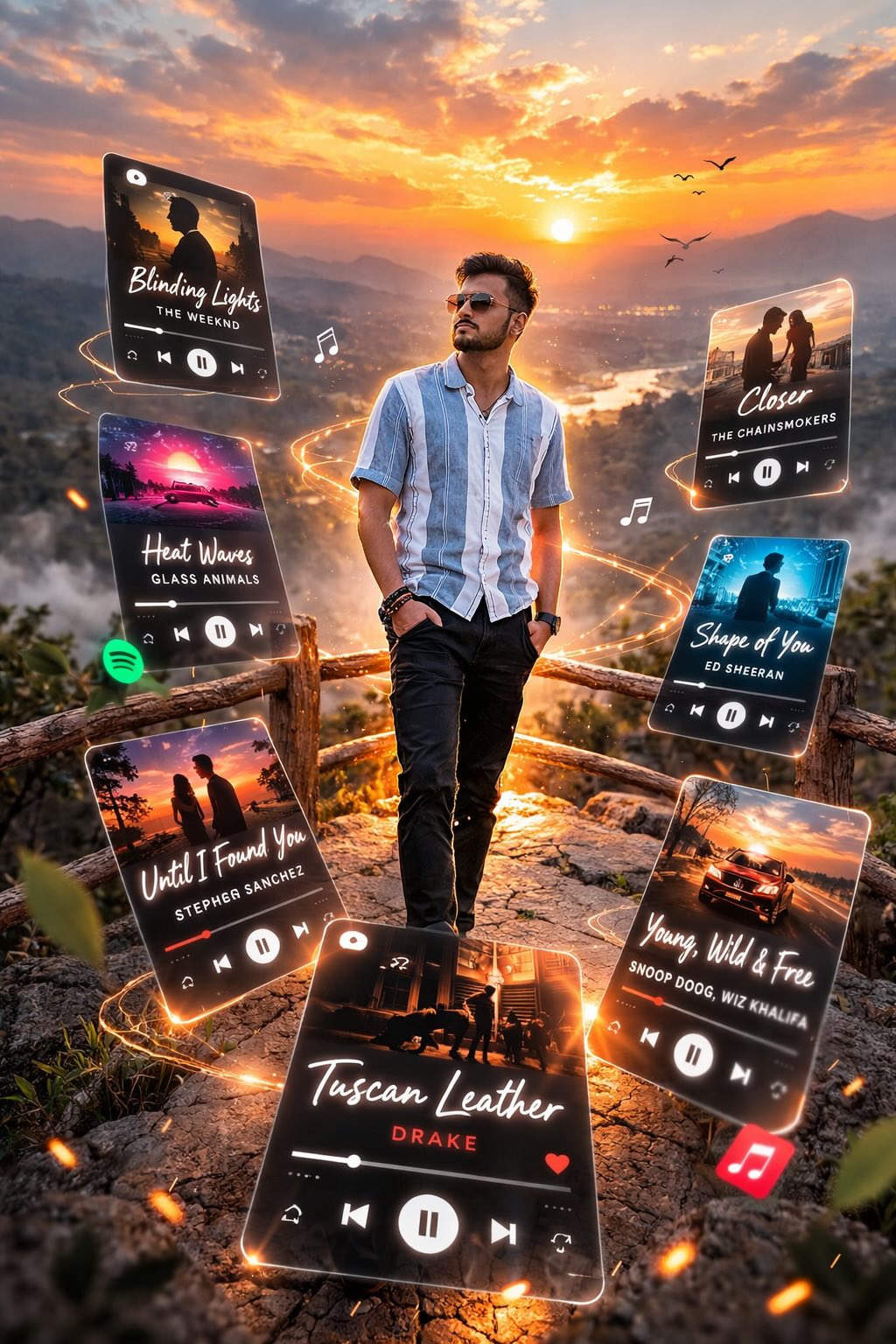
Learn how to generate a cinematic, dreamlike augmented reality portrait featuring floating 3D music interface cards. This prompt creates a stunning translucent frosted glass UI effect that orbits the subject, perfect for modern aesthetic posters, social media avatars, and AR conceptual art.
Generated Images

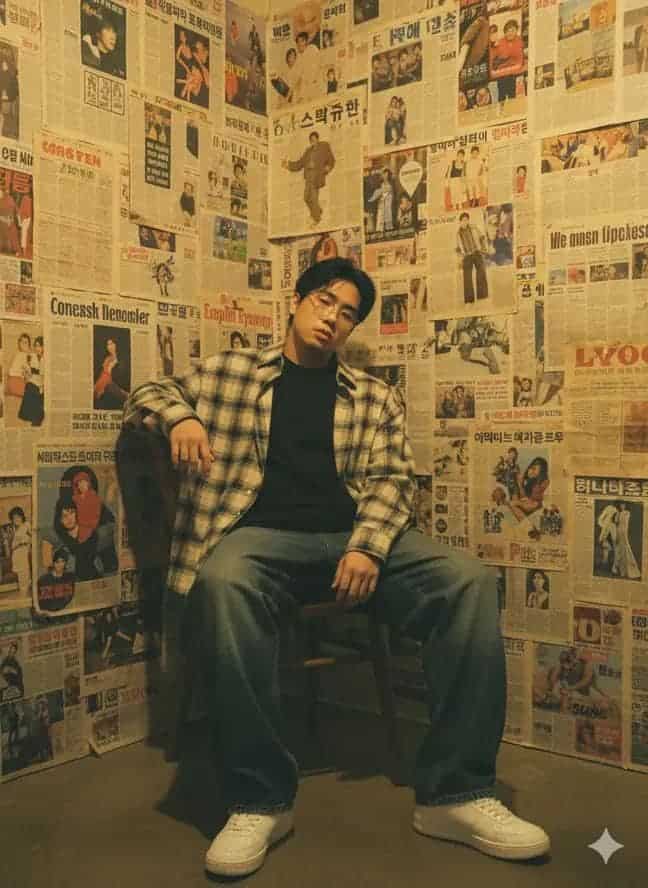
The Prompt
A cinematic, dreamlike AR visual featuring a central photorealistic me with exact same facial and physical identity from the uploaded image surrounded by floating 3D Spotify / Apple Music interface cards. The cards orbit the subject at varying depths - some in the foreground partially obscuring the subject, others drifting behind. Style: translucent frosted glass UI with glowing borders and rounded edges. Lighting: soft natural tones. Ultra-high photo quality with depth of field and motion accents. The cards highlight songs like: Tuscan Leather. ar 9:16
How to Use
To customize this prompt, try altering the specific songs by replacing 'Tuscan Leather' with your favorite tracks or artists. You can change the lighting from 'soft natural tones' to 'neon cyberpunk glow' or 'dramatic studio lighting' to shift the mood. If you want a different interface aesthetic, modify 'translucent frosted glass UI' to 'holographic projections', 'retro pixel art UI', or 'dark mode matte acrylic'. You can also adjust the environment behind the subject to fit a specific location rather than a dreamlike void.
Prompt Variations
A cinematic, cyberpunk AR visual featuring a central photorealistic me with exact same facial and physical identity from the uploaded image surrounded by floating 3D holographic music interface cards. The cards orbit the subject at varying depths - some in the foreground partially obscuring the subject, others drifting behind. Style: glowing neon wireframe UI with bright cyan and magenta borders. Lighting: dark alleyway with harsh neon accents. Ultra-high photo quality with depth of field and motion accents. The cards highlight cyberpunk synthwave tracks. ar 9:16
A cinematic, moody AR visual featuring a central photorealistic me with exact same facial and physical identity from the uploaded image surrounded by floating 3D dark mode music interface cards. The cards orbit the subject at varying depths - some in the foreground partially obscuring the subject, others drifting behind. Style: sleek matte black acrylic UI with subtle glowing white typography and rounded edges. Lighting: dramatic low-key studio lighting. Ultra-high photo quality with depth of field and motion accents. The cards highlight modern hip hop tracks. ar 9:16
A cinematic, retro-futuristic AR visual featuring a central photorealistic me with exact same facial and physical identity from the uploaded image surrounded by floating 3D vintage cassette tape UI cards. The cards orbit the subject at varying depths - some in the foreground partially obscuring the subject, others drifting behind. Style: 80s retro UI with warm plastic textures and glowing orange borders. Lighting: warm golden hour sunset tones. Ultra-high photo quality with depth of field and motion accents. The cards highlight classic 80s pop songs. ar 9:16
A cinematic, ethereal AR visual featuring a central photorealistic me with exact same facial and physical identity from the uploaded image surrounded by floating 3D glowing crystal music interface cards. The cards orbit the subject at varying depths - some in the foreground partially obscuring the subject, others drifting behind. Style: prismatic refracting glass UI with iridescent borders and rounded edges. Lighting: soft bioluminescent cool tones. Ultra-high photo quality with depth of field and motion accents. The cards highlight ambient ethereal tracks. ar 9:16
A cinematic, vibrant Y2K AR visual featuring a central photorealistic me with exact same facial and physical identity from the uploaded image surrounded by floating 3D colorful bubble music interface cards. The cards orbit the subject at varying depths - some in the foreground partially obscuring the subject, others drifting behind. Style: glossy translucent colorful plastic UI with thick rounded borders. Lighting: bright pop-art studio flash lighting. Ultra-high photo quality with depth of field and motion accents. The cards highlight late 90s pop songs. ar 9:16
A cinematic, futuristic sci-fi AR visual featuring a central photorealistic me with exact same facial and physical identity from the uploaded image surrounded by floating 3D tactical HUD music interface cards. The cards orbit the subject at varying depths - some in the foreground partially obscuring the subject, others drifting behind. Style: transparent cyan data grid UI with sharp angles and glowing digital borders. Lighting: cool blue cinematic tones with lens flares. Ultra-high photo quality with depth of field and motion accents. The cards highlight electronic industrial tracks. ar 9:16
A cinematic, vintage analog AR visual featuring a central photorealistic me with exact same facial and physical identity from the uploaded image surrounded by floating 3D vinyl record interface cards. The cards orbit the subject at varying depths - some in the foreground partially obscuring the subject, others drifting behind. Style: warm amber glass UI embedded with spinning vinyl records and glowing gold borders. Lighting: soft sepia-toned cinematic lighting. Ultra-high photo quality with depth of field and motion accents. The cards highlight classic jazz tracks. ar 9:16
FAQ
- How can I change the text or song titles on the floating cards?AI image generators with good text-rendering capabilities (like Midjourney v6 or DALL-E 3) allow you to explicitly state what text should appear. Simply change 'Tuscan Leather' in the prompt to the exact phrase or song title you want, keeping it in quotes for better accuracy.
- How do I ensure the facial identity matches my uploaded photo?If you are using Midjourney, use the Character Reference parameter (--cref) followed by the URL of your uploaded image. Set the character weight (--cw 100) to ensure the AI closely matches your exact facial features and physical identity.
- How do I make the background less dreamlike and more realistic?To ground the image in reality, replace 'dreamlike AR visual' with a specific location, such as 'bustling Tokyo street AR visual' or 'cozy modern bedroom AR visual'. Ensure you add details about the background lighting to blend the environment with the glowing UI cards.
Related Prompts