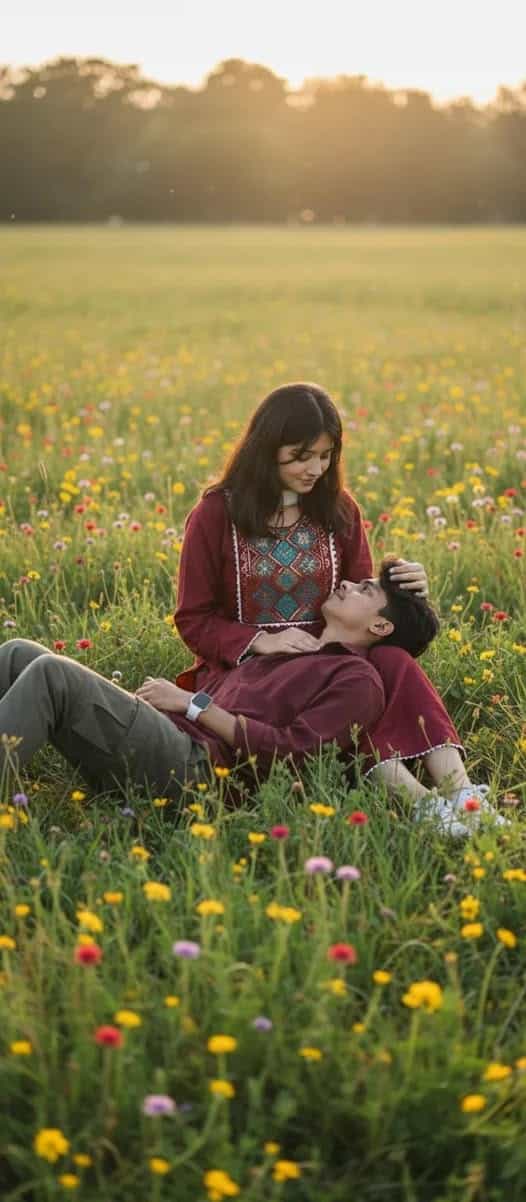
How to Create a Stylized Vector Fashion Illustration from a Photo
Learn how to transform a standard reference photo into a striking, modern stylized vector fashion illustration. This prompt generates a professional, editorial-quality portrait with ultra-clean lines, smooth gradients, and dramatic rim lighting, perfect for magazine aesthetics and stylish poster designs.
Generated Images

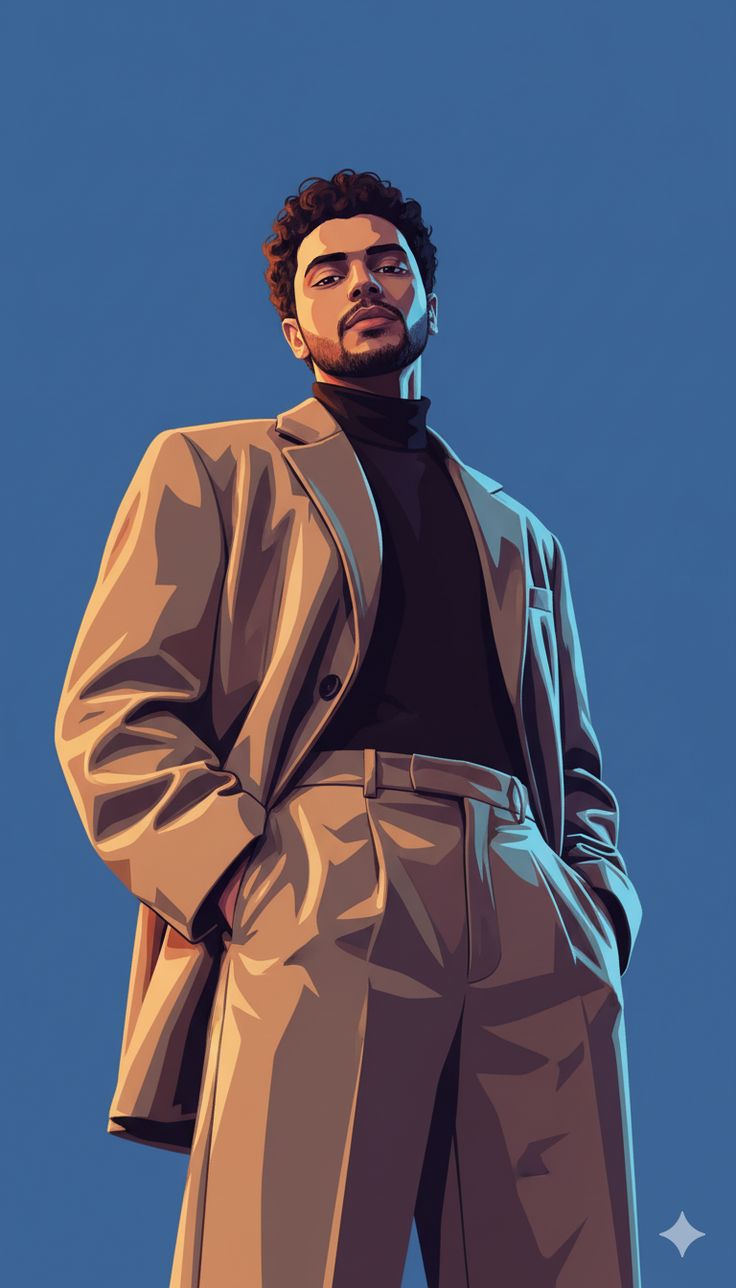
The Prompt
Transform the person from the reference photo into a modern stylized vector fashion illustration while preserving the exact facial identity and proportions. Full body portrait, confident pose with hands in pockets, elegant suit outfit, cinematic low-angle perspective, fashion editorial style, sharp jawline, curly hair details preserved, clean vector shading, smooth gradients, dramatic rim lighting, high contrast shadows Minimalist solid background, modern poster composition, ultra clean lines, adobe illustrator style, editorial magazine aesthetic, 4k ultra detailed, professional fashion poster ar 9:16
How to Use
To customize this prompt, try altering the clothing by replacing 'elegant suit outfit' with 'streetwear apparel' or 'haute couture gown'. You can adjust the camera angle by changing 'cinematic low-angle perspective' to 'eye-level shot' or 'dutch angle'. For different lighting effects, modify 'dramatic rim lighting' to 'soft pastel lighting' or 'neon cyberpunk glow'. Change the background from 'minimalist solid background' to 'abstract geometric background' to perfectly fit your specific poster design needs.
Prompt Variations
Transform the person from the reference photo into a modern stylized vector cyberpunk illustration while preserving the exact facial identity and proportions. Full body portrait, confident pose, futuristic streetwear outfit, cinematic low-angle perspective, neon glow style, clean vector shading, smooth gradients, dramatic bright neon lighting, high contrast shadows Dark city alley background, modern poster composition, ultra clean lines, adobe illustrator style, techwear aesthetic, 4k ultra detailed, professional fashion poster ar 9:16
Transform the person from the reference photo into a modern stylized vector fashion illustration while preserving the exact facial identity and proportions. Full body portrait, graceful flowing pose, ethereal haute couture gown, eye-level perspective, dreamy editorial style, clean vector shading, smooth pastel gradients, soft diffuse lighting, gentle shadows Minimalist white background, modern poster composition, ultra clean lines, adobe illustrator style, luxury magazine aesthetic, 4k ultra detailed, professional fashion poster ar 9:16
Transform the person from the reference photo into a retro 80s stylized vector illustration while preserving the exact facial identity and proportions. Full body portrait, relaxed pose, vintage casual jacket and denim, cinematic low-angle perspective, synthwave editorial style, clean vector shading, vibrant magenta and cyan gradients, dramatic rim lighting, bold high contrast shadows Minimalist neon grid background, modern poster composition, ultra clean lines, adobe illustrator style, retro magazine aesthetic, 4k ultra detailed, professional fashion poster ar 9:16
Transform the person from the reference photo into a modern stylized vector fashion illustration while preserving the exact facial identity and proportions. Full body portrait, striking high fashion pose, avant-garde geometric outfit, dynamic angled perspective, experimental editorial style, clean vector shading, bold monotone gradients, harsh directional lighting, sharp high contrast shadows Minimalist stark black background, modern poster composition, ultra clean lines, adobe illustrator style, avant-garde magazine aesthetic, 4k ultra detailed, professional fashion poster ar 9:16
Transform the person from the reference photo into a vintage pop art vector fashion illustration while preserving the exact facial identity and proportions. Full body portrait, dynamic pose, bold retro fashion outfit, cinematic perspective, pop art editorial style, clean vector shading, halftone dot gradients, bright flat lighting, heavy black shadows Solid bright yellow background, modern poster composition, ultra thick clean lines, comic book style, retro magazine aesthetic, 4k ultra detailed, professional fashion poster ar 9:16
Transform the person from the reference photo into a modern stylized vector fitness illustration while preserving the exact facial identity and proportions. Full body portrait, dynamic mid-action pose, sleek athletic sportswear outfit, cinematic low-angle perspective, sports editorial style, clean vector shading, smooth dynamic gradients, dramatic spotlight lighting, high contrast shadows Minimalist grey background, modern poster composition, ultra clean lines, adobe illustrator style, fitness magazine aesthetic, 4k ultra detailed, professional athletic poster ar 9:16
Transform the person from the reference photo into a modern stylized vector fashion illustration while preserving the exact facial identity and proportions. Full body portrait, thoughtful standing pose, dark academia tweed suit and coat, eye-level perspective, moody editorial style, clean vector shading, smooth muted earth-tone gradients, soft window lighting, deep rich shadows Minimalist library-toned background, modern poster composition, ultra clean lines, adobe illustrator style, classic literary aesthetic, 4k ultra detailed, professional fashion poster ar 9:16
FAQ
- How do I maintain the exact facial likeness of my original photo?To preserve identity, use consistent, high-quality reference images. If using an image-to-image workflow, keep your denoise strength relatively low so the AI respects the original bone structure. In Midjourney, utilize the character reference parameter for the best results.
- Can I use this prompt in Midjourney or Stable Diffusion?Yes, this prompt is highly effective in both. For Midjourney, use image prompts or the cref feature to blend the photo with the style. For Stable Diffusion, pairing this prompt with a ControlNet module will help lock in the exact pose and facial features while applying the vector aesthetic.
- How do I change the color palette of the vector illustration?You can easily control the colors by adding specific color keywords into the prompt. For example, insert phrases like 'monochrome palette', 'neon pink and blue gradients', or 'warm autumn colors' near the shading and background descriptions to completely shift the mood.
Related Prompts